Raspberry
Pi:
After spending some time exploring Arduino I wanted to learn about
Raspberry Pi, which I had imagined to be similar to Arduino. Both have
convenient physical interfaces—well-documented input/output
pins. What is called a “shield” in the Arduino world is alternatively a
“plate” for Pi. On first encountering these terms I thought they stood for the same essential thing. That
was an oversimplification, and not my only misconception.
Pi and Arduino are different
concepts. First, Raspberry Pi is a computer with an operating system (Debian
Linux), while Arduino has
only a program loader and basic I/O functions
built-in—no
operating system, as such. This difference has broad
implications. Arduino is a real-time device, while Raspberry
Pi’s
sophisticated OS manages resource sharing. —Raspberry
Pi
applications are small fish in a big pond.
The fact that Raspberry Pi runs Linux
has fantastic advantages, of course. I will return to this point, but
my initial approach to exploring Pi was influenced by the earlier
Arduino experiences. Both Arduino and Pi have SDA/SCL pins supporting
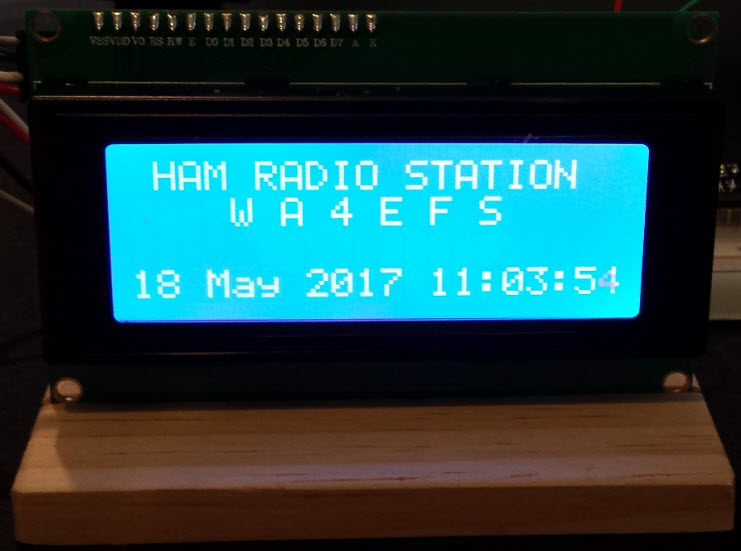
serial I/O, so my first Pi exercise was an attempt to write text to a
small LCD screen,
similar to how the same would be done in Arduino. At this point I was
working with a Pi 1 (26 GPIO pins). Source code for this exercise is here.
This small test project includes one possibly interesting feature,
namely a shutdown switch. With Arduino there is no harm in pulling the
plug at any time, however, switching Pi off without proper OS shutdown
could cause file system corruption. The program detects a
button press from one of the GPIO pins, then shuts down via an
os.system call.
Project descriptions on this page are intended for entertainment only.
The author makes no claim as to the accuracy or completeness of the
information presented. In no event will the author be liable for any
damages, lost effort, inability to carry out a similar project, or to
reproduce a claimed result, or anything else relating to a decision to
use the information on this page.